Expense management
your team will use
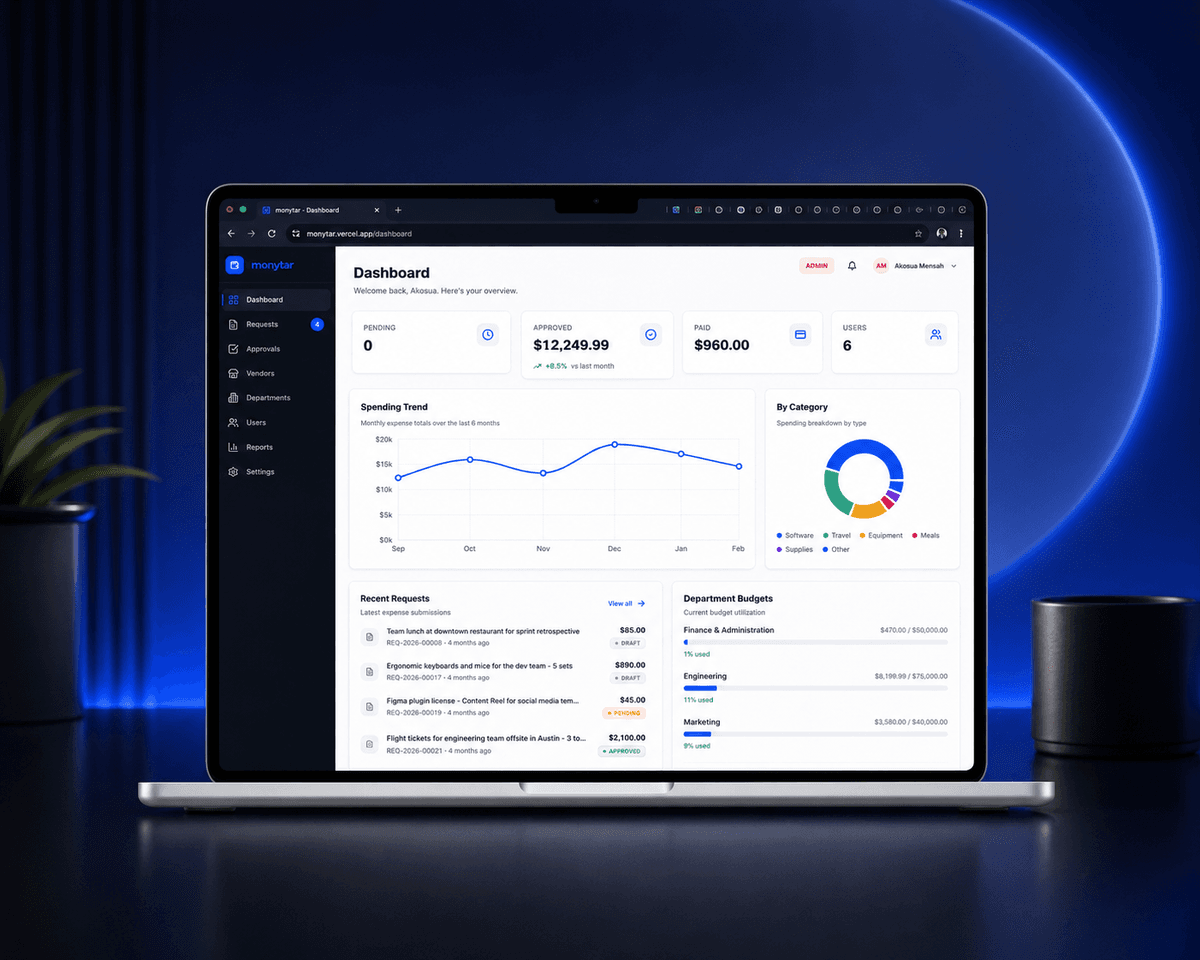
Give your finance team complete visibility into company spend. Approvals, budgets, and reporting in one clean workflow.
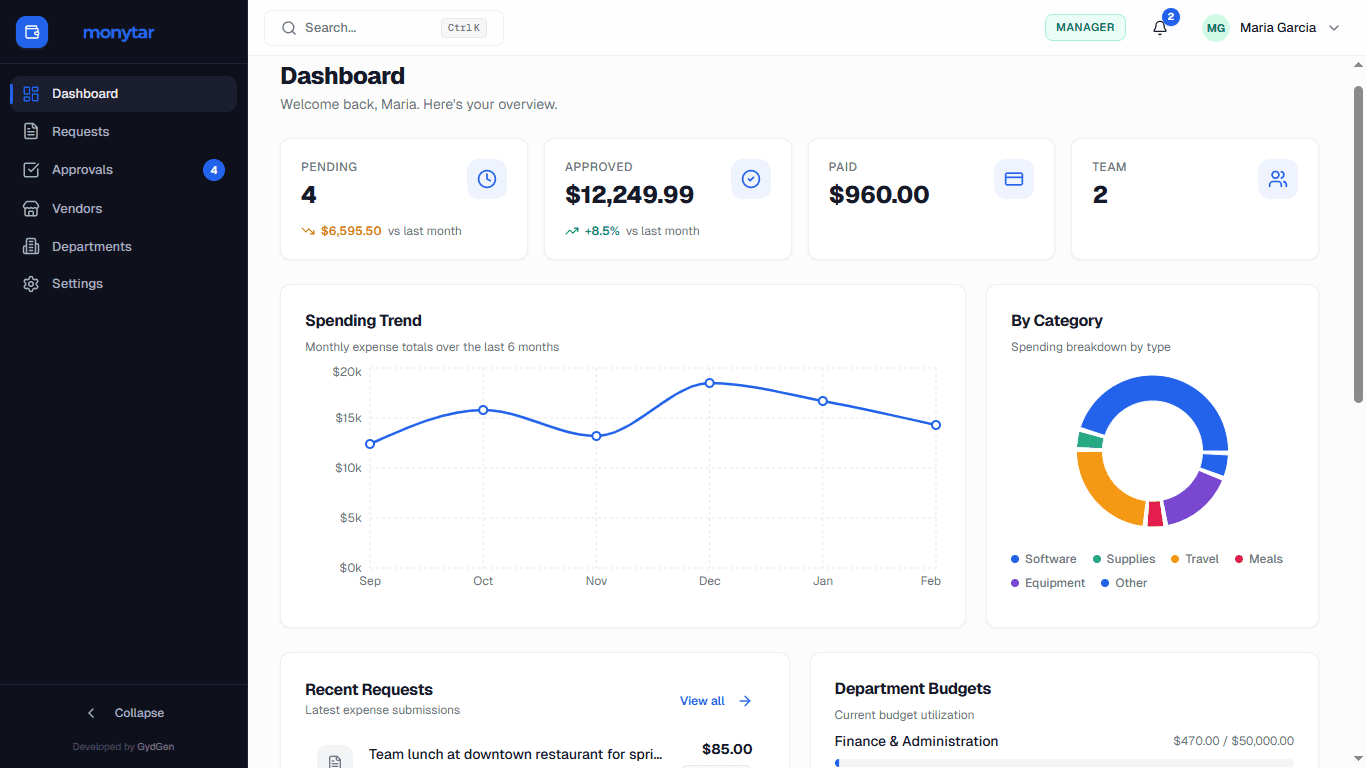
Built on a modern, secure stack
Everything your finance team needs
From submission to reimbursement, one clean workflow with zero spreadsheets.
Multi-step approvals that route themselves
Set rules once. Expenses automatically route to the right manager based on amount, category, or department.

Budget tracking and real-time alerts
Department budgets with spend-to-date and automatic overage warnings before it is too late.
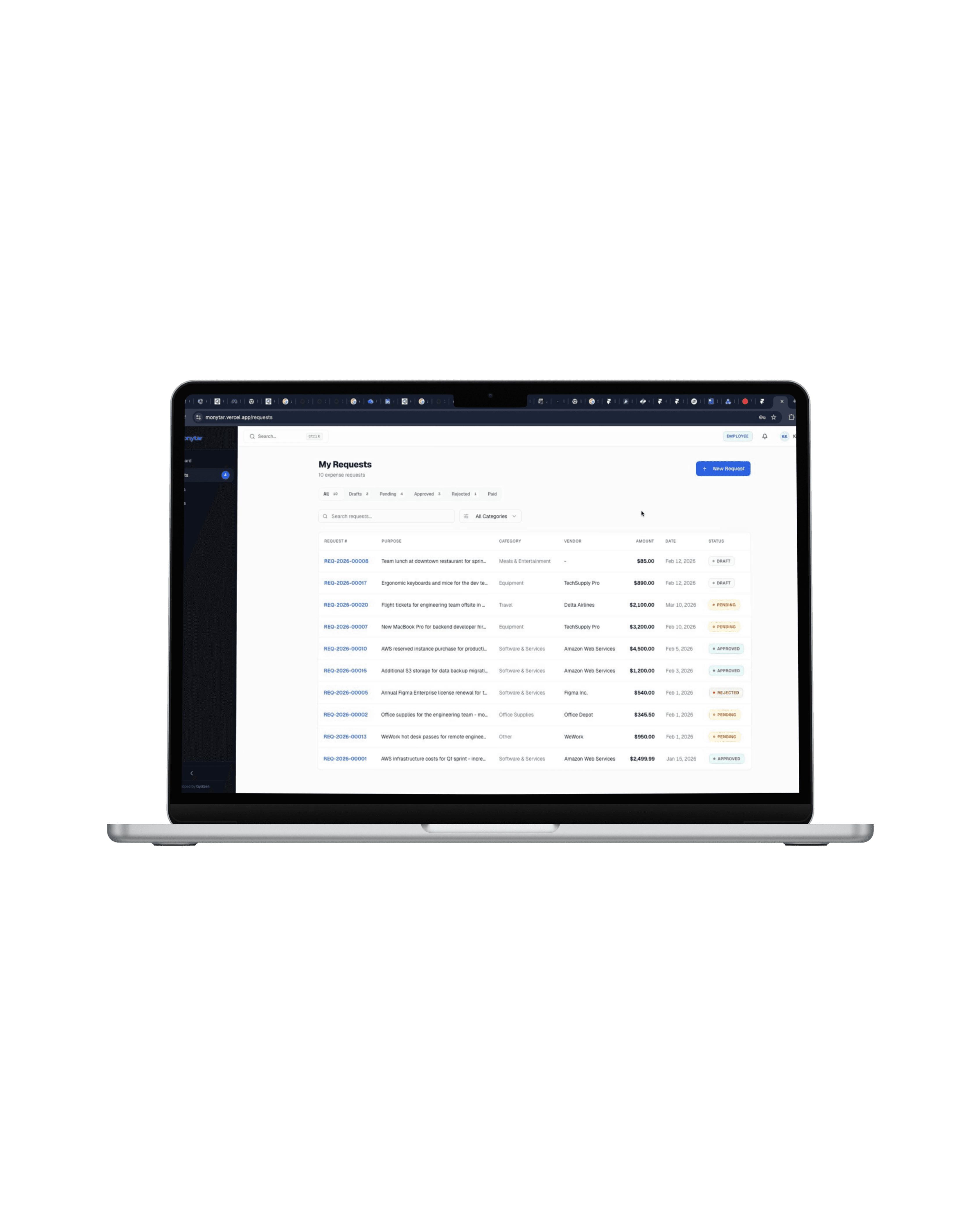
Receipt capture
Upload from phone or desktop. Attach to any expense in one tap.
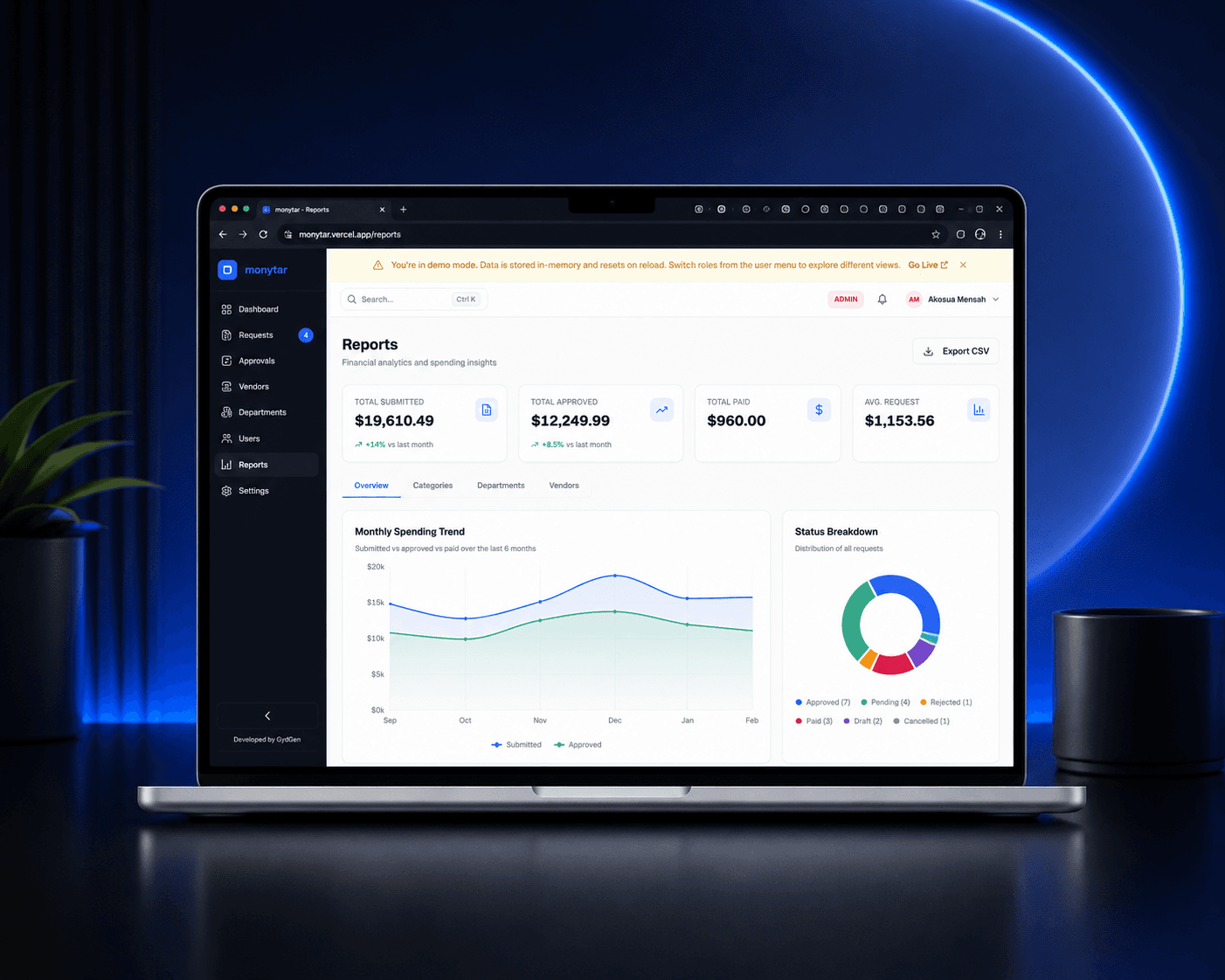
Spend analytics
Slice spend by team, vendor, category, or time period.

Roles and permissions
Employee, Manager, Finance, Admin. Each sees exactly what they need.

From receipt to reimbursed in three steps
No training required. Your team will know exactly what to do the moment they log in.
Submit
An employee snaps a receipt, fills one short form, and hits submit from any device.
Approve
The request routes automatically to the right approver with full context and budget impact.
Reimburse
Finance marks it paid, the employee is notified, and it lands in your reports instantly.
Submit an expense
in under 60 seconds
Snap a receipt, fill one short form, hit submit. No spreadsheets, no email chains, no lost receipts. Your reimbursement status updates in real time.
- Mobile receipt capture with auto-attach01
- Track approval status and payment date02
- Notified the moment your expense is approved03
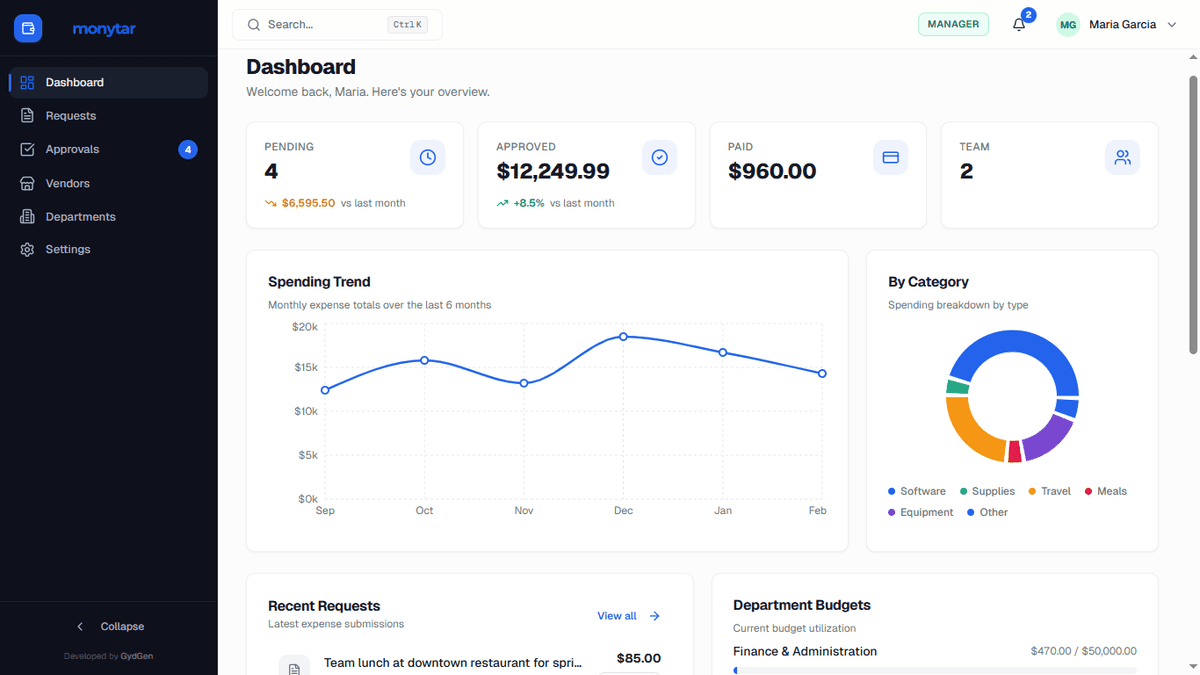
Approve with full context,
not just a number
See the receipt, the business justification, and remaining department budget all on one screen. One tap to approve or request more information.
- Full expense detail and receipt in one view01
- Live department budget impact shown inline02
- Approve, reject, or comment in one action03
4
Roles with tailored access
Real-time
Budget tracking & alerts
Multi-level
Approval routing
CSV + PDF
One-click exports
Built for how finance teams actually work
What it costs to stop the spreadsheet chaos
No hidden fees. Start free, scale when you are ready.
Free
Up to 3 users
- 50 requests/month
- Basic approval workflow
- Standard reporting
- Email support
Starter
Up to 10 users
- Unlimited requests
- Multi-level approvals
- Multi-currency reporting
- Vendor management
Professional
Up to 50 users
- Everything in Starter
- Unlimited departments
- Budget management & alerts
- Full request & approval history
- Phone & priority email support
Enterprise
Unlimited users
- Everything in Professional
- One licence, no per-user pricing
- Dedicated onboarding & training
- Custom integrations, scoped to order
- Named contact & response-time SLA
Questions, answered
Everything you need to know before getting started.
Most teams are up and running in under 5 minutes. Create your organization, invite your team, and set your first approval rule. No implementation project, no IT ticket required.
No. The Free plan supports up to 3 users with no card required, forever. You only add billing details when you choose to upgrade to a paid plan.
Yes. You can route expenses automatically based on amount, category, or department, and add multiple approval levels: manager first, then finance above a threshold.
Yes. Employees can submit expenses in their local currency and finance sees everything converted to your organization's base currency for consistent reporting.
All data is encrypted in transit and at rest, scoped per organization with row-level security, and access is controlled by granular role-based permissions. Enterprise plans add SSO/SAML.
Professional and Enterprise plans include CSV exports and analytics, so you can move approved expenses into your existing accounting stack at month-end.
Still have questions? Talk to our team
Ideas for modern finance teams
Playbooks, product updates, and lessons on running a tighter, faster finance operation.





Ready to simplify
expense management?
Set up in minutes. Start free on our starter plan, no credit card required.